





- EDITIONS:
 Spanish News Today
 Alicante Today
 Andalucia Today
PROPERTY SEARCH

Simple ways to make smartphones easier for older loved ones
Bigger icons, clearer sound and simple shortcuts can make mobiles much more senior-friendly
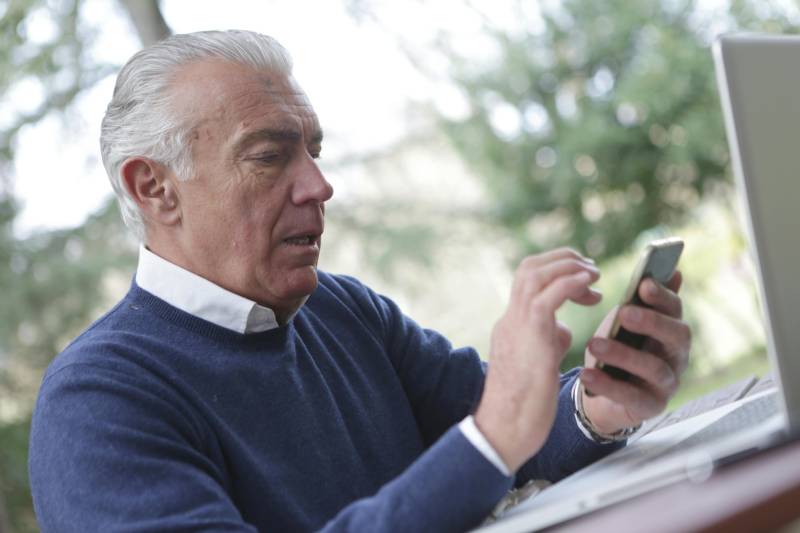 Helping mum, dad or grandparents get to grips with a smartphone does not have to be daunting. With a few thoughtful tweaks, you can turn a confusing device into something straightforward, safe and genuinely useful. These tips draw on advice from specialists like Maximiliana, who recently connected 17 centenarian women from across Spain in a video call, sharing an incredible 1,757 years of experience between them.
Start with what they really need
Before changing settings, think about how they will actually use the phone. Is it mainly for calls, WhatsApp and photos? Or do they also like browsing the internet or reading the news? The goal is to keep only the essentials on screen and hide the rest.
- Remove or hide unnecessary apps so the home screen shows just phone, contacts, WhatsApp and perhaps the camera or gallery.
- On both Android and iPhone, you can long press an app icon to delete it or remove it from the home screen.
Add shortcuts for their favourite people so calling is just one tap away. A simple trick is to save key contacts with “Aa” at the start of the name so they appear first, or use direct dial widgets and shortcuts on the home screen.
Make everything easier to see
Age-related vision changes make small text and icons hard to manage, so enlarging the display is one of the most helpful steps.
- On Android: go to Settings > Accessibility > Font size or Display size and move the slider until the text and icons feel comfortable.
- On iPhone: go to Settings > Accessibility > Display & Text Size > Larger Text, and turn on larger accessibility sizes. For bigger icons, go to Settings > Display & Brightness > Display Zoom > Zoomed and then restart the phone.
Most phones also offer an “easy mode” or “assisted access” that enlarges icons, shows only key apps and simplifies menus. If you want to go further, apps such as BIG Launcher or Bleta can replace the normal home screen with large, clear buttons for phone, WhatsApp, gallery and a few simple tools like flashlight, volume or brightness controls. Remind them they can also pinch to zoom on photos and web pages.
Improve sound and notifications
Hearing can also decline with age, so it is worth tailoring alerts and call settings.
- Turn off notifications from apps they do not need, to reduce constant pings.
- In WhatsApp, you can assign special sounds to messages from close family, while muting group chats or less important conversations.
- Make sure the ringtone and notification volume are loud enough and pick clear, distinct tones. Using the speakerphone can also help during calls.
- If they use hearing aids, many smartphones allow some models to connect directly, or you can use tools like sound amplifiers on compatible Android phones or audio adjustments on iPhone.
Make controls easier to handle
Fine movements can be harder for some older users, so simplifying how they move around the phone is important.
- Gesture navigation, where you swipe instead of using buttons, can be tricky. On Android you can turn this off in Settings > System > Gestures, and on iPhone in Settings > Accessibility, so the classic bottom navigation buttons or clearer controls are used instead.
- Lowering touch sensitivity and enabling options that prevent accidental taps can reduce unintended calls or messages. Many people have experienced those mystery late-night calls from a pocket or handbag.
Voice control is a real ally for anyone with mobility or dexterity issues. Saying “Ok Google” or “Hey Siri” lets them make calls, set alarms, send messages or create reminders without having to find small icons on screen.
Add safety and support
Once the phone is visually clear and easy to handle, it is worth setting up emergency and security features.
- Keep lock screen security simple but present: fingerprint recognition, face unlock or an easy-to-remember PIN help protect their data.
- Add medical and emergency details. On Android, this is usually under Settings > Safety & Emergency, and on iPhone through the Health app under Medical ID. You can include blood group, medications and an emergency contact.
- Enable emergency SOS, where pressing the power button several times can automatically call emergency services and notify chosen contacts.
- With their permission, turn on location sharing and tracking tools such as Find My on iPhone or similar services on Android, so the phone can be found if lost.
Do it together
Perhaps the most important step is to set everything up side by side. Show them slowly how to answer a call, send a WhatsApp message and use the home screen. Encourage them to try it while you watch, so they feel confident rather than intimidated.
 Used thoughtfully, smartphones can help older relatives stay closer to family, manage appointments and feel safer. As that group of centenarian women proved on their shared video call, age is no barrier to connection when the technology is made truly accessible.
Images: Andrea Piacquadio/Pexels